I Set Out to Work Smarter with AI and Tripped Over .md

I’m not a developer, and the thing that got me seriously using AI at work was Claude Code.
Describe roughly what you want — “build me something like this” — and it spins up a pile of files and hands you a working product. It felt different from ChatGPT, where everything happened in a chat box, and I remember being genuinely impressed.
These days I use Claude and Codex (ChatGPT) almost daily to automate or analyse something. And the thing AI keeps producing, with a cheerful “I’ve written it down for you,” is a file ending in .md. That, for me as a non-developer, was the very first thing I tripped over.
I’d been told to go read it — and when I opened it, it was littered with symbols, hard to read, and impossible to print (I’m an analogue person at heart). Have I opened some program I wasn’t supposed to touch? I genuinely wondered.
More and more people who don’t write code for a living are going to end up vibe coding alongside AI. So that nobody else has to be thrown by a .md file landing in their lap, here’s how it went for me.
AI has a thing for .md
Ask Claude Code or Codex for something — say, “build me a simple task tracker” — and the folder you pointed it at fills up with files like these.
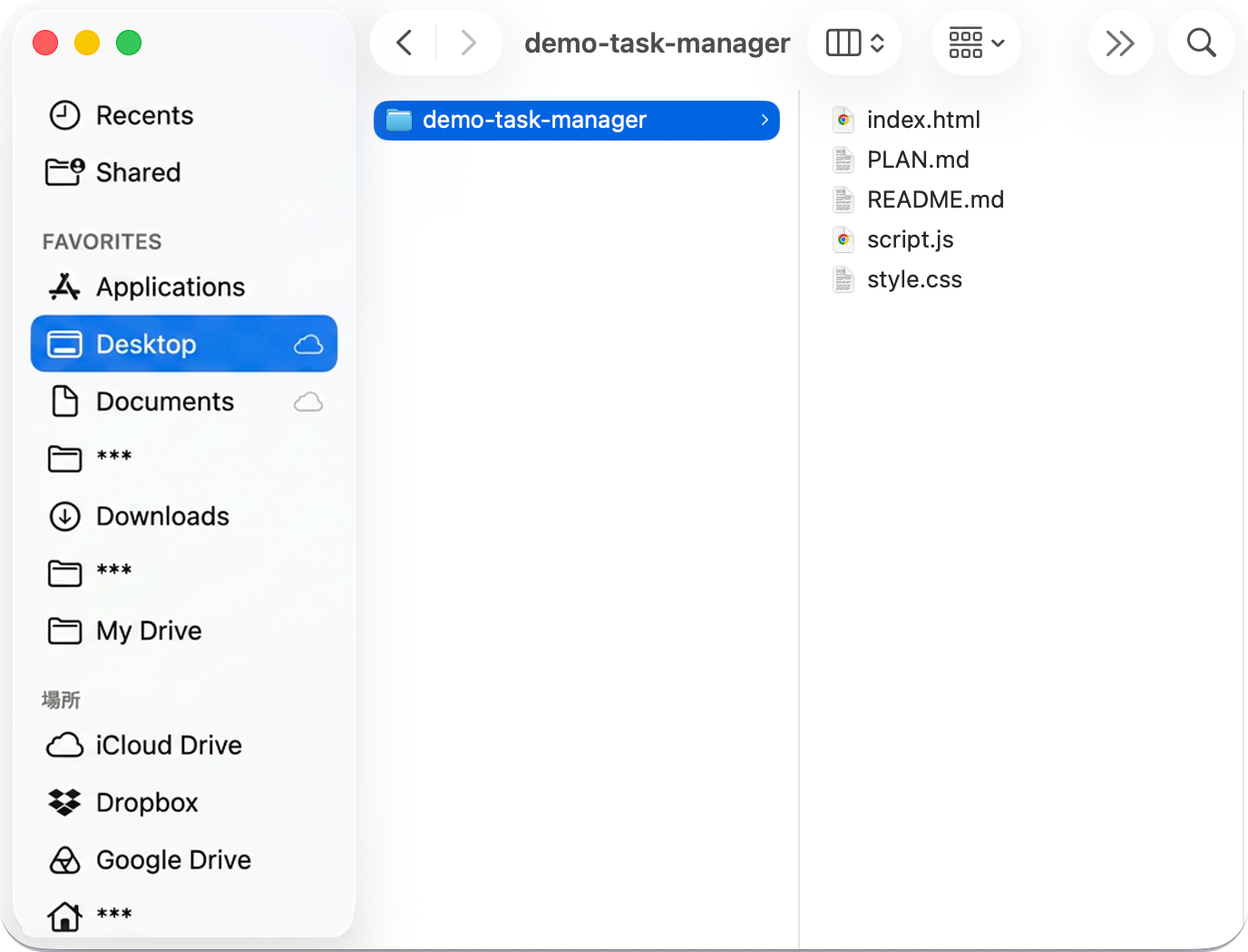
demo-task-manager/
├── index.html
├── style.css
├── script.js
├── README.md
└── PLAN.md
The html, css and js are what you’d call code files. I’m not a developer, but I’d poked at websites before, so those looked familiar enough.
The problem was the two files ending in .md — both shouting at me in capitals, “read me,” “here’s the plan.” And every time anything changed, the AI would tell me it had “written it down in such-and-such.md.”
From there the .md files kept coming.
- CLAUDE.md
- AGENTS.md
- SKILL.md
So I opened one. It was prose, sure — but prose buried under symbols.
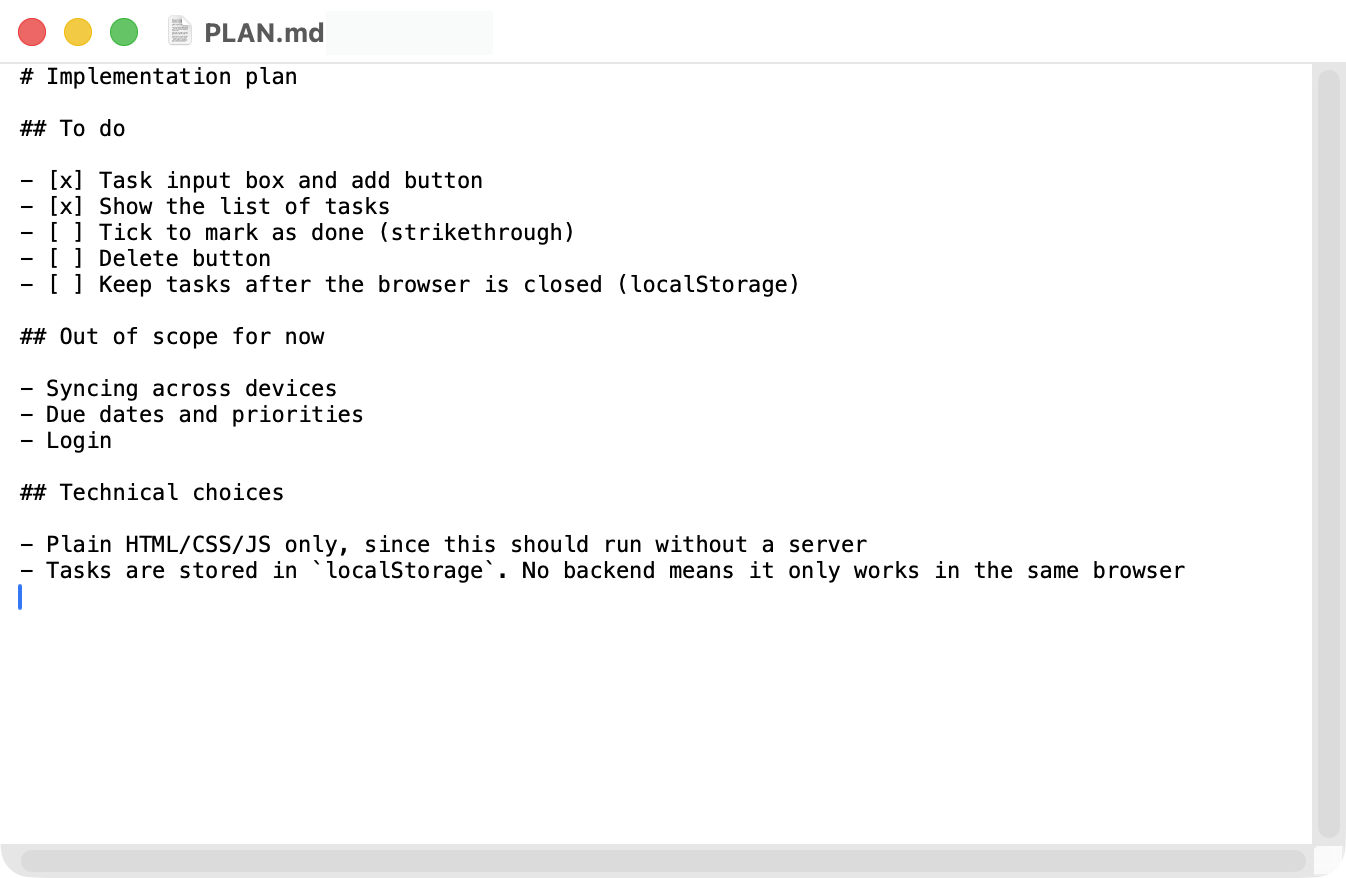
“Would it kill you to just give me a normal text file?!”
I remember thinking exactly that.
AI still loves .md though. Or rather — .md (Markdown) was supposed to be a format that’s kind to humans too. It’s just that, for a handful of reasons, it ends up being a source of friction specifically for non-developers.
Markdown is kind to humans and AI alike. In theory.
Markdown is one of many markup languages. A markup language does what the name says: it marks up your text so it’s easier to read (more on this in What is an .md file?).
Think about taking notes by hand, or writing a report at work. You run a highlighter over the part that matters, or make a heading bigger, so the document is easier to follow. Text with no light and shade is hard going.
A markup language is an attempt to do that digitally. A top-level heading is #, a second-level heading is ##, bold is wrapped in ** — follow the rules and you can attach meaning to the text: read this first, this bit matters.
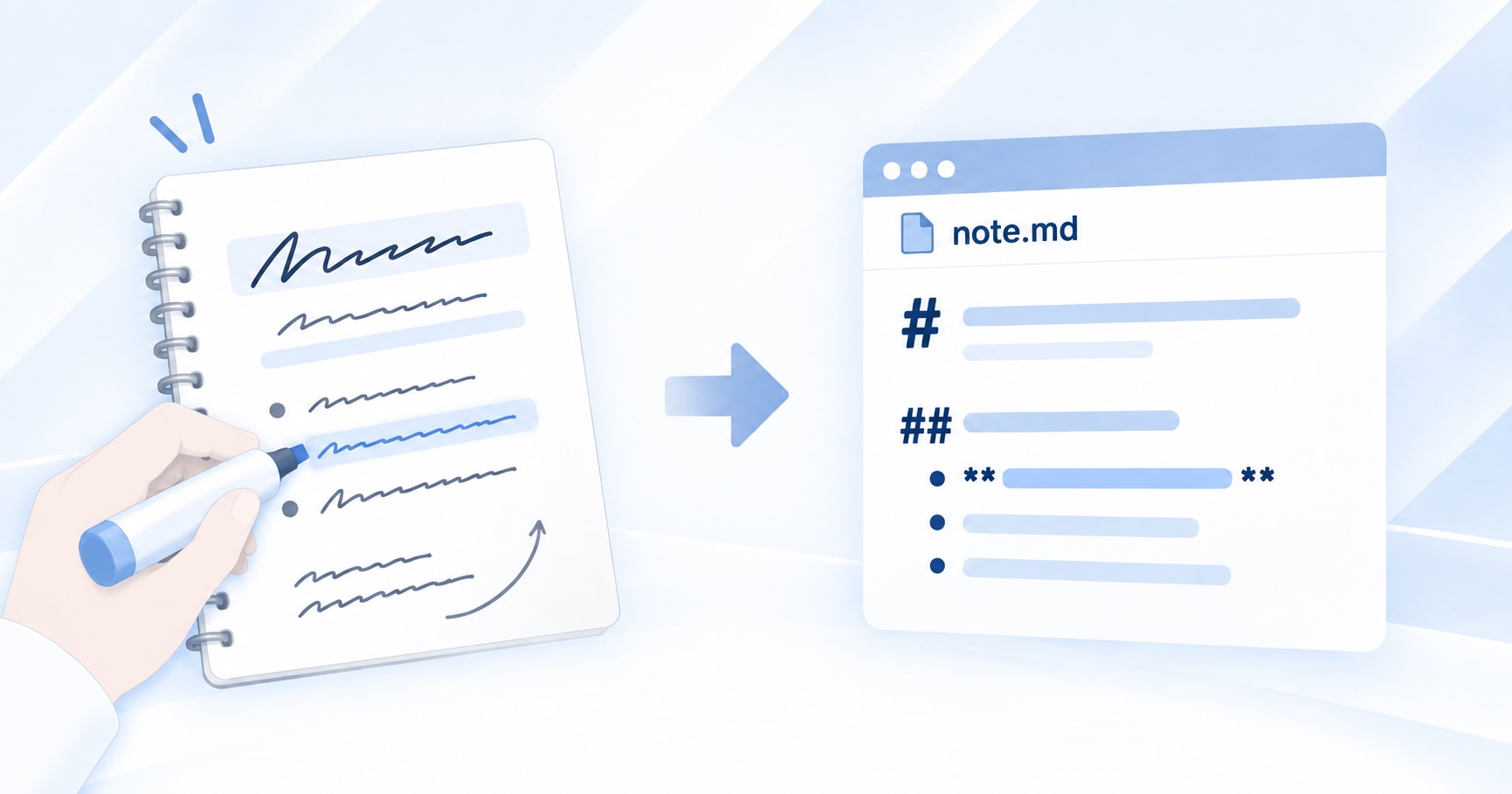
Markdown was never built for AI. It was invented so that people could read text more comfortably on a computer. When AI hands you a .md file, it is, in its own way, trying to be helpful.
It suits AI too, mind you. Compared to other markup languages like HTML, Markdown is lightweight, so both writing it and reading it cost the fewest tokens. And when the text is flowing the other way — you writing, AI reading — those same marks help it work out what you consider important and what to do first.
Markdown really is kind to humans and AI alike.
So why did I trip over it the moment I met one?
Because there’s no common, obvious way to open the thing.
Why can’t you just open a .md file?
As I said, a .md file is text that’s been marked up to be easier to read. And yet, open it in an ordinary text editor and the symbols make it harder to read, not easier.
Open it in a viewer that actually renders the formatting, though, and the same file looks like this.
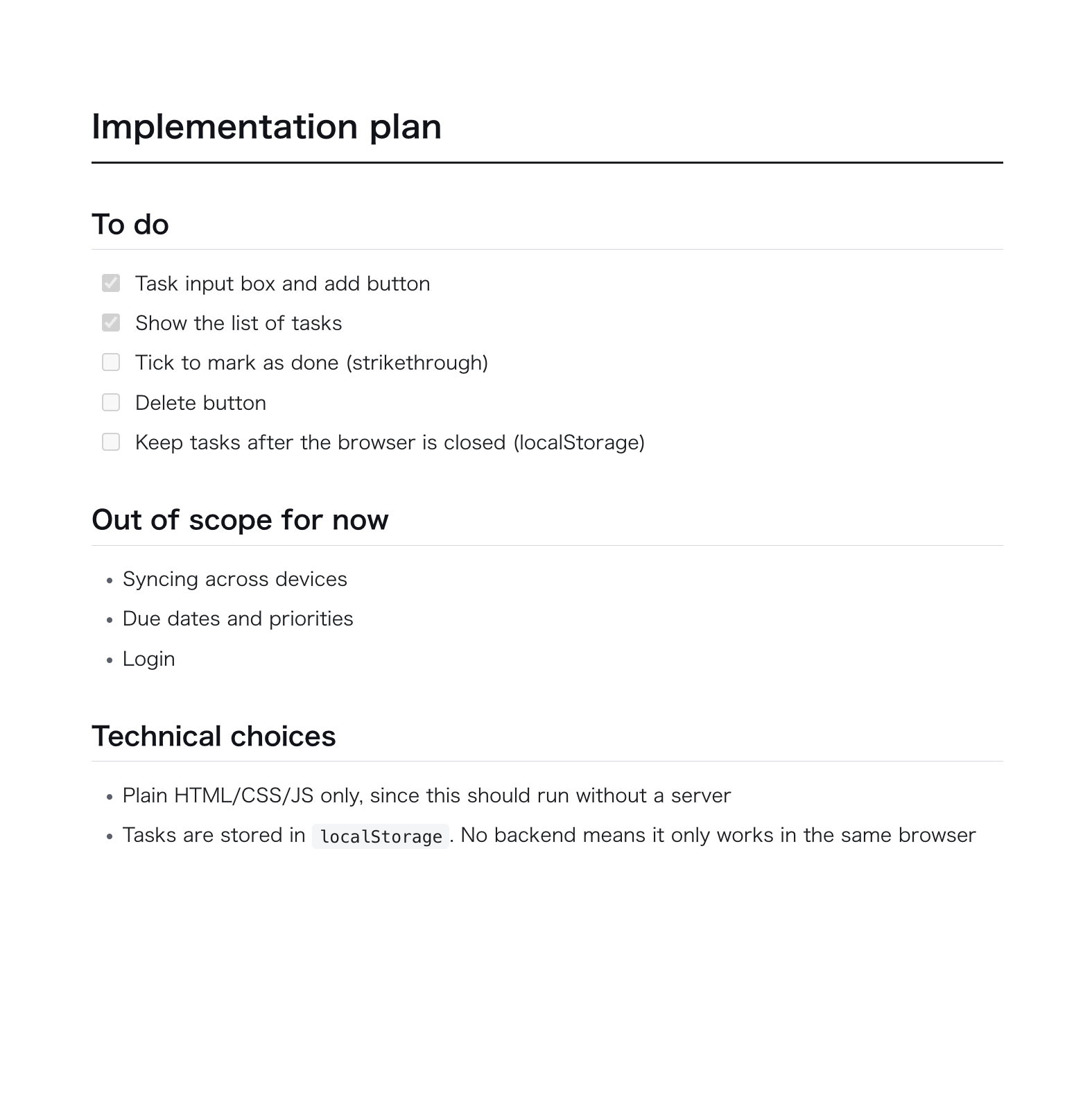
At which point you think: why doesn’t the software that came with my computer just do that?
Fair question.
There are various reasons the built-in apps don’t render Markdown, but if it won’t open properly out of the box, you have to go looking. (Windows Notepad has apparently gained Markdown rendering, for what it’s worth — try it and you’ll see what I mean by “technically, yes.”)
So you search the web, and the first thing everyone recommends is VS Code (Visual Studio Code).
And here is where I want to raise my voice: if you’re not a developer and you just want to open a .md file, I do not recommend VS Code!
I’ve written about this before: VS Code is overpowered and complicated for the job of simply reading or editing a document. Which makes sense — the clue is in the name. It was built for engineers writing program code. (The full argument is in 3 Reasons I Don’t Recommend VS Code for Opening Markdown (.md) Files.)
And that’s the heart of it. Long before AI came along, .md was the format engineers used among themselves, precisely because it sits neatly alongside program code. That README.md from earlier is one of those stock files.
In other words, because it’s a format engineers have used for decades, nothing was ever built to let ordinary users read and write it comfortably.
That’s why the rest of us trip over .md.
Go ahead and use .md — it’s not just for engineers
Hearing that engineers got there first can make you feel like you’re trespassing. You aren’t.
A .md file is just a text file. And with its headings and emphasis, it’s the closest thing to the Word reports and handwritten notes you already use every day. The problem was never the format — it’s that so few approachable tools open it.
If anything, the modern problem is the opposite of scarcity: search for a Markdown viewer and you’ll find dozens, with wildly varying quality. Some mangle non-English text, some quietly upload your document to a server, and some are abandonware with a slick landing page. It’s worth checking what you’re handing your files to.
Still, as more of us work alongside AI, .md is only going to become more common.
The symbols take a little getting used to, but keep a cheat sheet open and give writing one a go. Putting a document together structurally is a surprisingly good way to sort out your own thinking. I got so into it that I ended up buying an HHKB keyboard.
Get comfortable with Markdown and you’ll read AI’s intent more accurately, and state your own more clearly. The only thing missing was a decent way for us to receive it.
If you’re at all at home with engineering tools, VS Code is fine. If the raw symbols don’t bother you, Notepad will do.
And if you want something that just shows the file properly and lets you tidy it up, that’s what yomeru is for.
Find the way of working with .md that suits you.
A Markdown viewer that doesn't assume you're a developer
A clean, uncluttered interface that makes sense even if you've never touched a line of code.
Try yomeru