Can't Open an .md File? Here's Why — and How to Open It Properly

You asked an AI to write something up, and back came a file with an extension you’ve never seen: .md. You double-click it and nothing happens. Or it does open — but it’s so full of symbols that you can’t tell whether it opened correctly at all.
If you landed here, it was probably one of those two.
Here’s the thing: “I can’t open my .md file” covers two completely different problems. And most of the advice you’ll find online only answers the first one.
Two different kinds of “won’t open”
| What you see | What’s actually happening |
|---|---|
| Nothing happens on double-click, or some unfamiliar app launches | No app is associated with the file |
| It opens, but it’s a wall of symbols | It did open. It just isn’t being displayed properly |
The first is a problem of how to open it. The second is a problem of how to display it. Different causes, different fixes.
Search for how to open an .md file and most answers say to use Notepad (or TextEdit on a Mac). As an answer to the first problem, that’s correct. But it does nothing for the second one — open it in Notepad and the symbols are still there.
The second one is what tripped me up first (I Set Out to Work Smarter with AI and Tripped Over .md).
Let’s take them one at a time.
Case 1: Nothing happens when you double-click
This one is straightforward. Your computer simply doesn’t recognise the .md extension — it hasn’t been told which app to use.
There’s nothing exotic inside an .md file. Like a .txt file, it contains nothing but text. But when Windows or macOS has no app registered for .md, double-clicking either does nothing or brings up a “How do you want to open this file?” dialog.
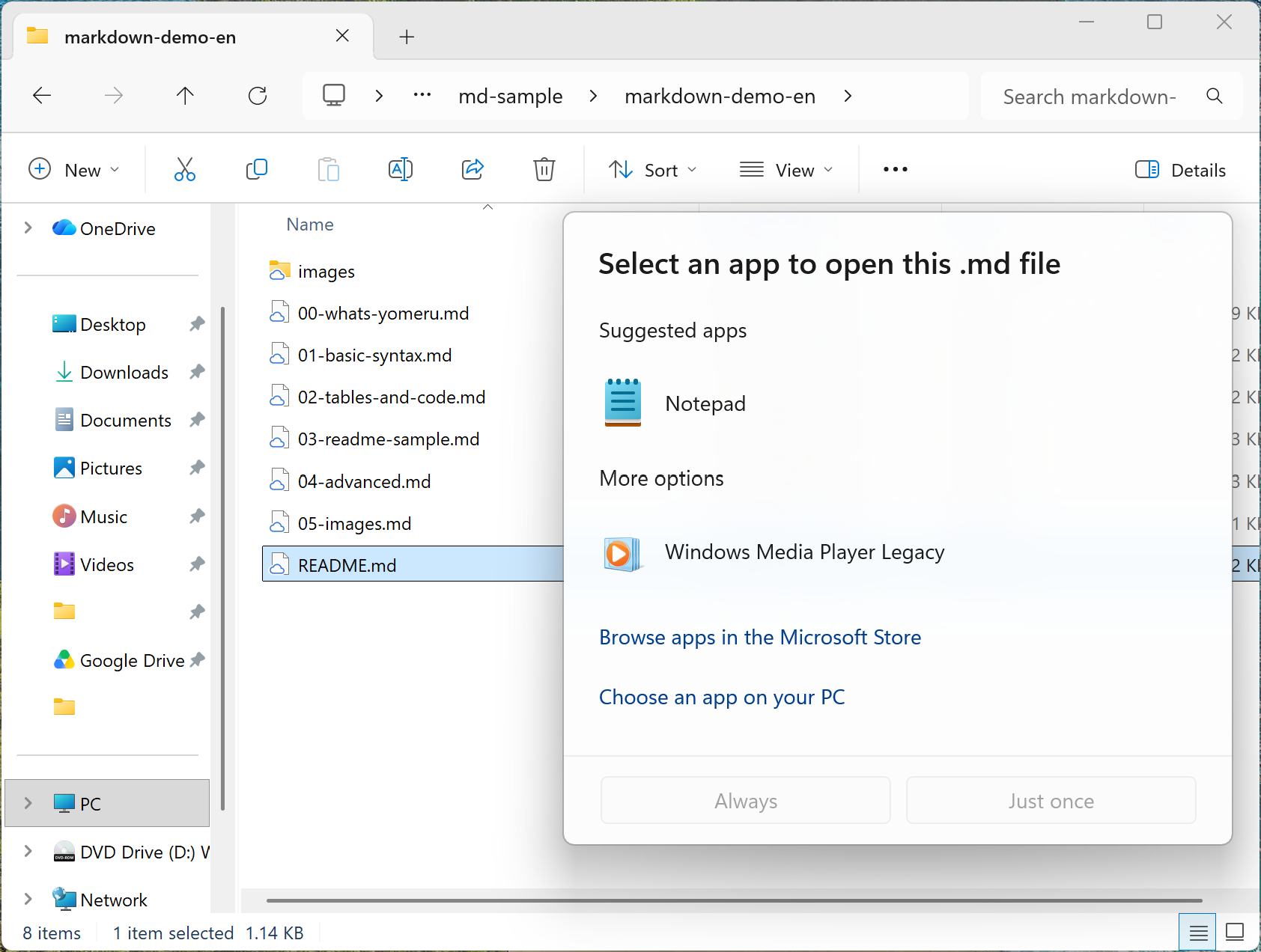
Which of the two you get depends on your machine. Windows ships without an association for .md, so you’ll usually be asked to pick an app. On a Mac, double-clicking generally opens the file in TextEdit instead.
Either way, though — you’re probably about to be puzzled by what you see.
Case 2: It opens, but it’s hard to read
Open it in Notepad and this is what you get.
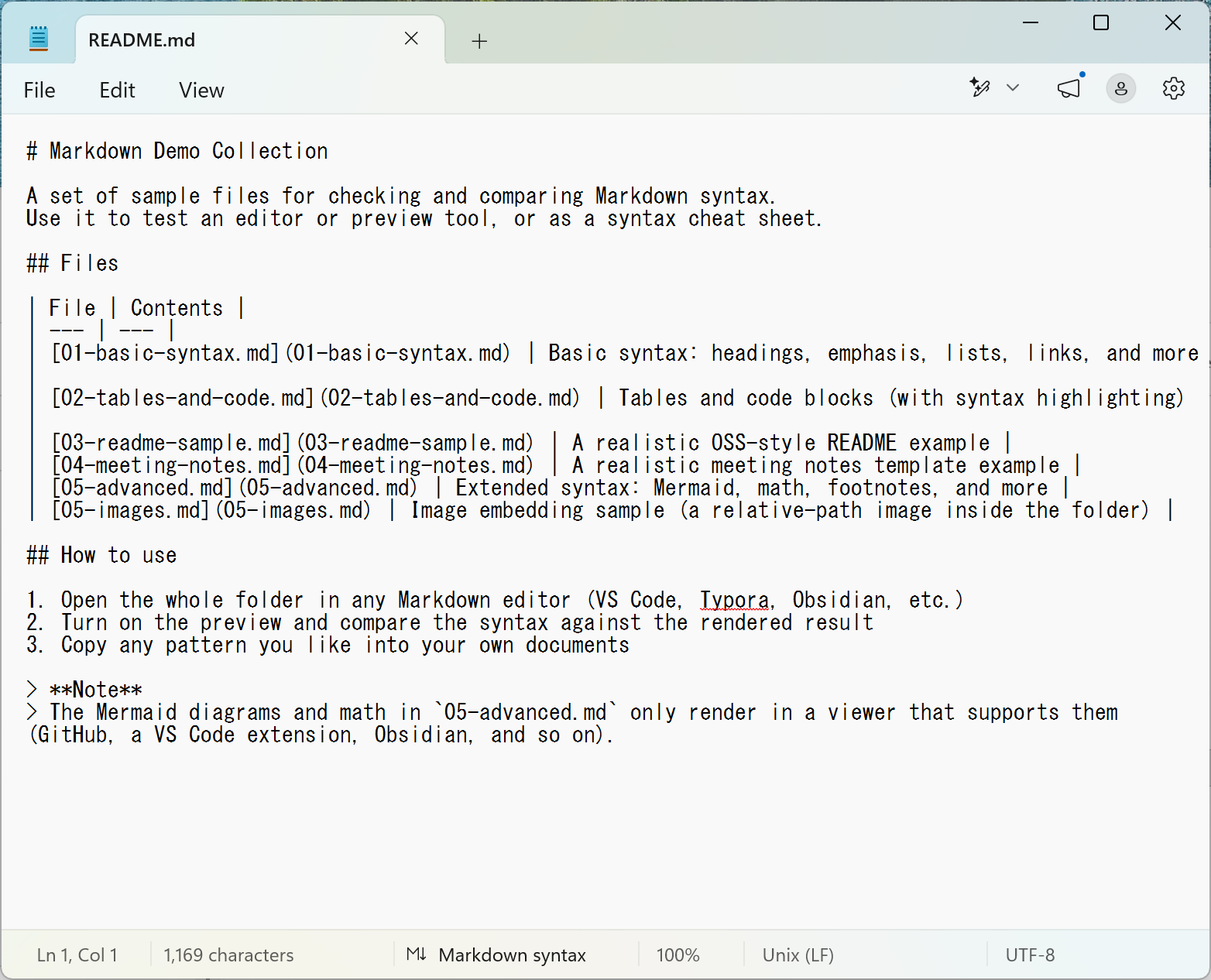
#, **, - scattered through the text, and it’s genuinely hard to read. Calling that “opened” isn’t much comfort.
I understand the reaction. But stay with me for a moment.
It would be a shame to give up here. Opened the right way, this becomes remarkably easy to read.
Bear with me while I explain what’s actually going on.
Why the symbols show up
.md is a text file written in Markdown. Every one of those symbols means something.
# Heading— a large heading**bold**— bold text- item— a bullet point
So **important** is really an instruction to the app: display the word “important” in bold.
The catch is that Notepad and TextEdit are built to show text exactly as it is, without processing it. They don’t interpret the instructions — they print the symbols verbatim. That’s why the symbols stay on screen. (There’s more on this in What is an .md file?.)
So it isn’t that the file won’t open. It’s that you haven’t opened it in something that can display it properly.
What you need is an app that understands Markdown
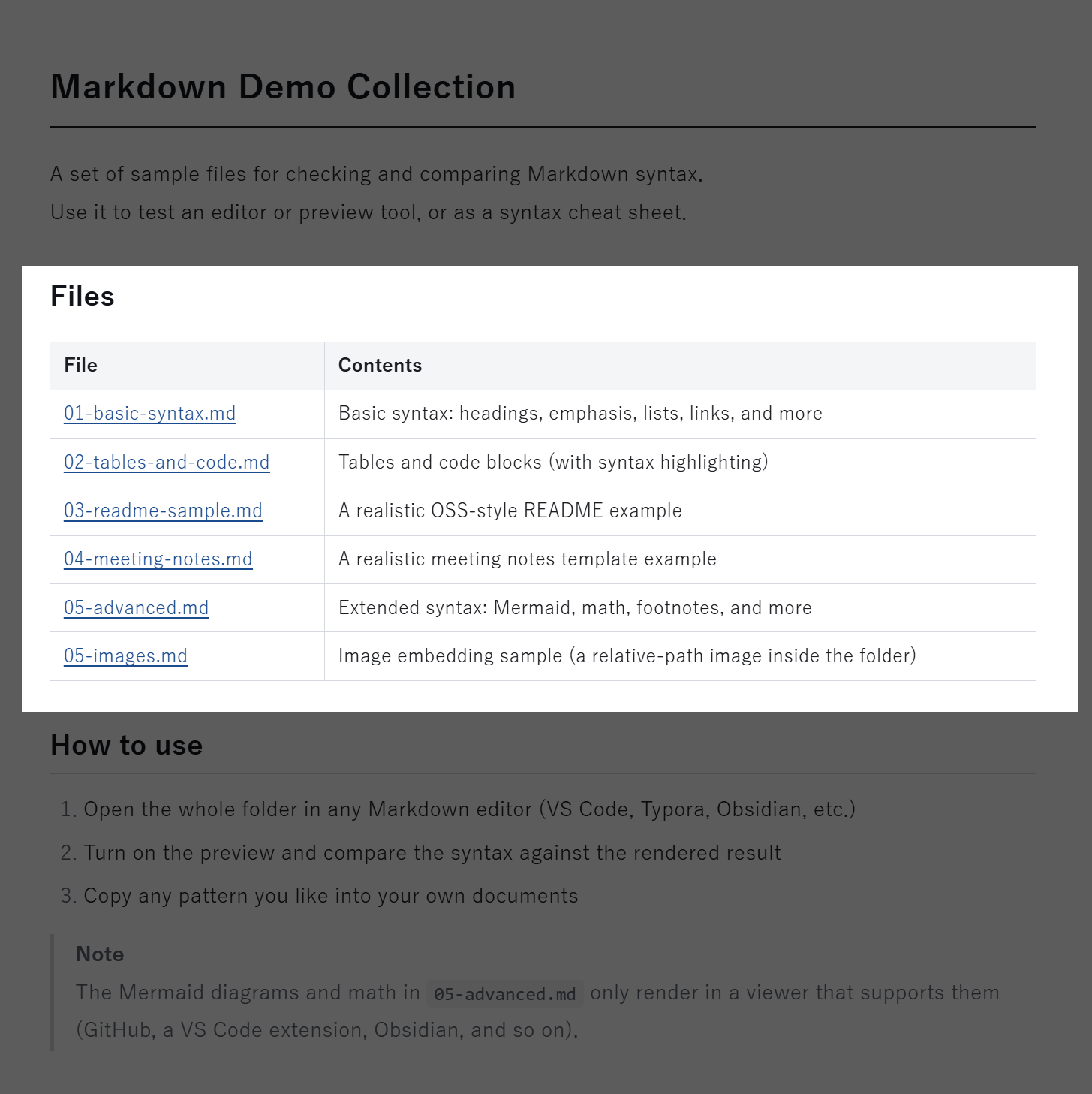
Open it in an app that speaks Markdown and # becomes a proper heading, ** becomes bold, and the symbols disappear from view.
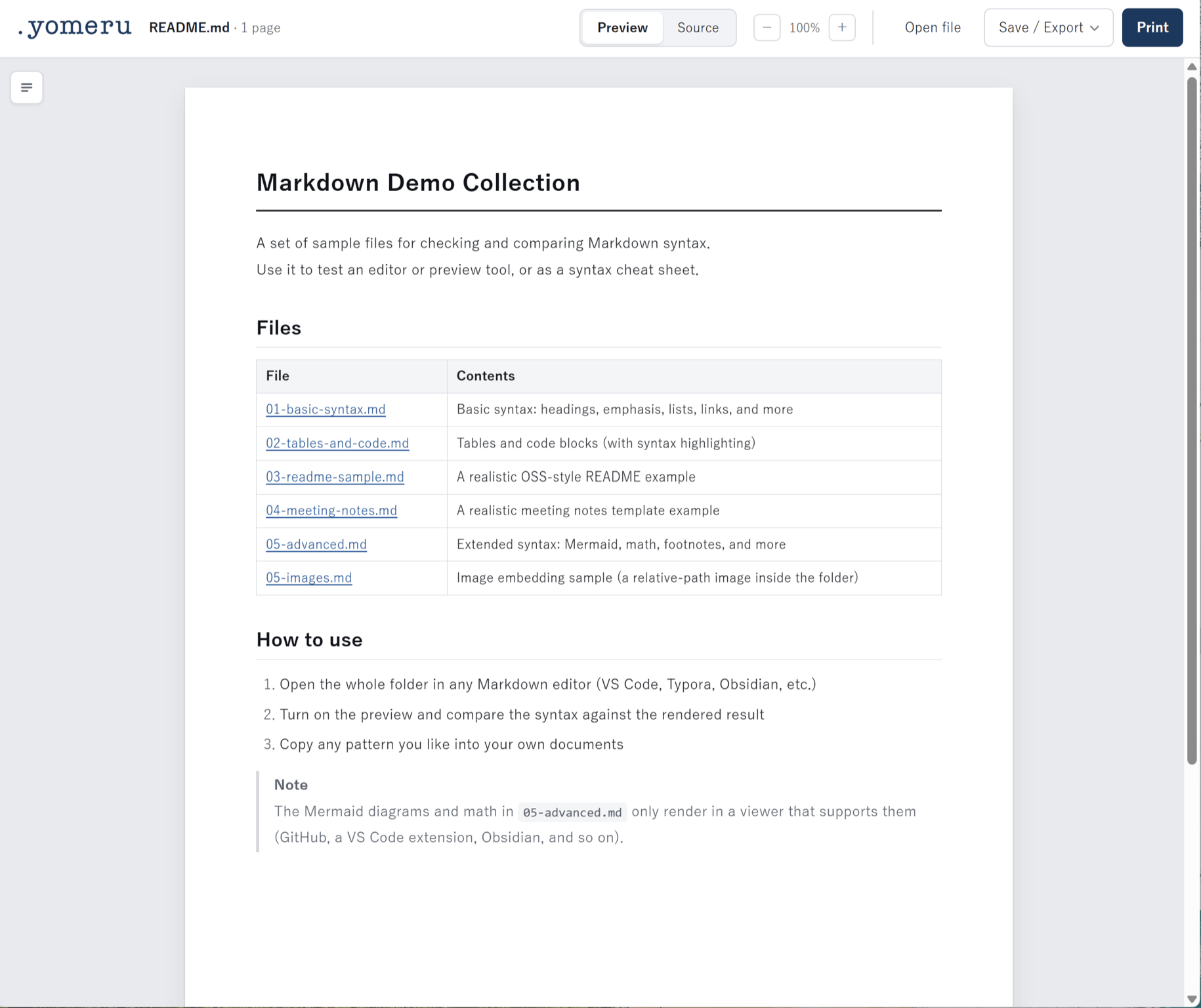
See the difference? That’s the same file you just saw in Notepad. Only the app changed.
The headings now break the text into sections you can navigate, which makes it far easier to read. And that stretch that looked like the worst of the mess — this part ↓↓
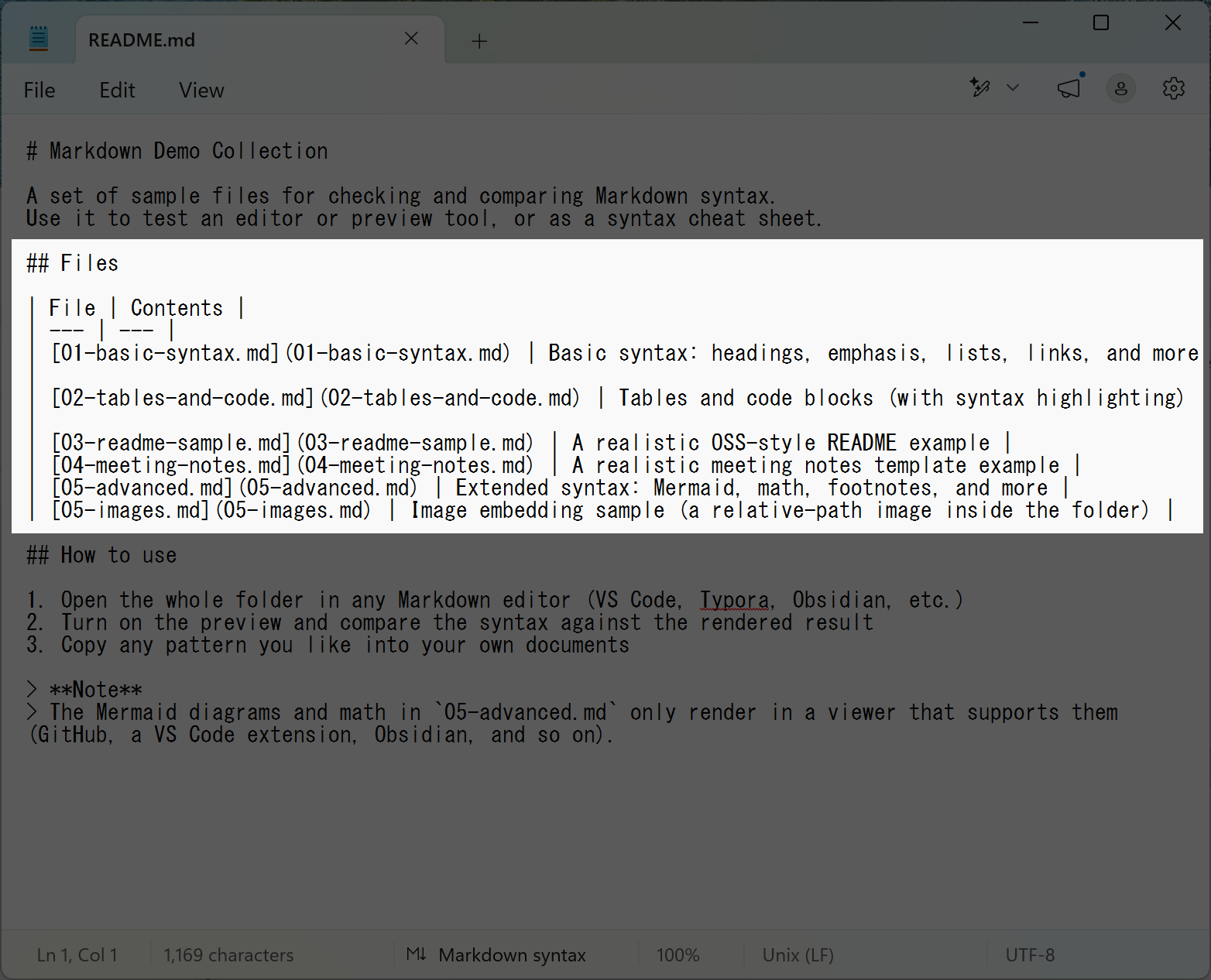
That was a table all along. And [01-basic-syntax.md](01-basic-syntax.md) is a link.
It looked hopelessly complicated in the raw file, but open it properly and it reads cleanly.
Plenty of apps can open it properly
You have several options for opening .md files the way they’re meant to be read.
| Option | Who it suits |
|---|---|
| A web tool like yomeru | Anyone who’d rather not install anything. The quickest route |
| An editor such as VS Code | People who already write code day to day |
| A browser extension | People committed to one particular browser |
| Converting to Word | People who want to read it in something familiar |
VS Code is the usual recommendation, but if all you want is to read an .md file, it’s more machinery than you need — I wouldn’t suggest it (here’s why, in detail).
Start with a web tool that needs no installation. More than anything, I’d like you to see for yourself how quickly that file of yours turns into something readable.
Case 3: An .md file arrived on your phone
Sometimes the problem isn’t your computer at all — the file arrives on your phone. Someone emails or messages you an .md file, or shares it from cloud storage, you tap it, and you get the same wall of symbols. Often it simply won’t open.
Hunting down an app just to read one file is a chore, too. And finding the app you installed is stuffed with ads is a familiar disappointment.
Here as well, a browser-based web tool solves it. Nothing to install, so it just works on a phone.
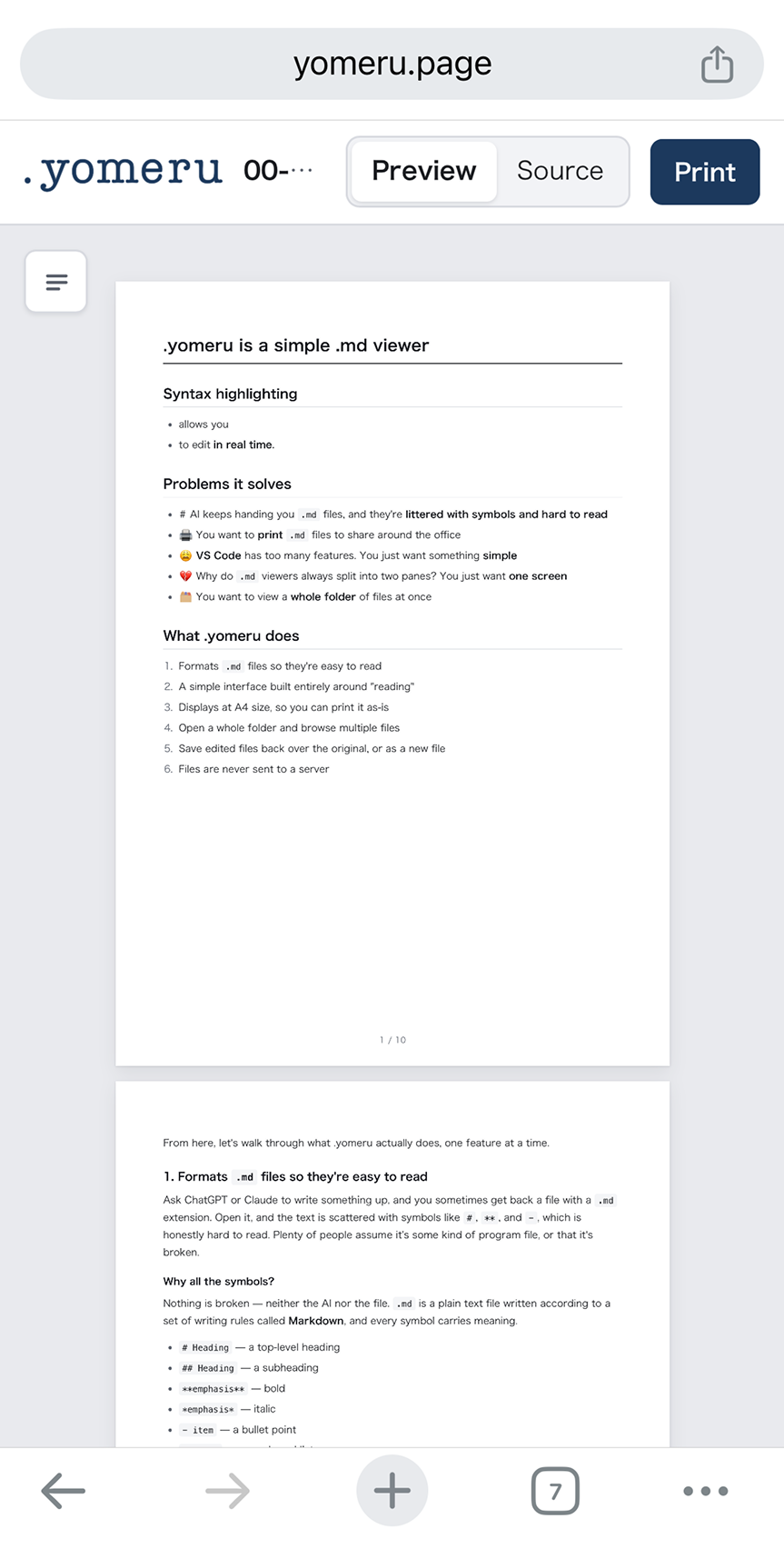
For where to keep your files and how to open them on a phone, see How to Open .md (Markdown) Files on Your Phone, where I tested it in detail.
With yomeru, it opens the way you expected
yomeru is the web tool I built for exactly this — the “it opened but I can’t read it” problem.
- A simple
.md(Markdown) viewer built around readability - Just drag a file in. You can also open a whole folder and move between files
- No installation. Bookmark it and it’s there whenever you need it
- Laid out as an A4 or US Letter page, so you can print it as-is
- Export to PDF or Word (PDF export goes through the print dialog)
- Easy to touch up, with syntax highlighting that reflects your edits as you type
- Your files are never sent anywhere — everything happens inside your browser
It’s built to do more than mechanically “open” a file: careful typography for comfortable reading, and enough polish on the output that you can hand the page to someone else.
Viewers that can actually print are rarer than you’d think — if that’s of interest, How to Print a Markdown (.md) File covers it.
In summary
When an .md file won’t open, it’s almost always one of these two.
- No app is associated with it → right-click and choose an app
- It’s being shown as raw symbols → open it in something that renders Markdown
And most people who search for this are stuck on the second one. That’s why “just use Notepad” doesn’t help.
An .md file isn’t broken, and it isn’t a program you shouldn’t touch. It’s an ordinary text file with a few instructions added to make it look better. Give it an app that can display those instructions and it reads like any other document — in fact, few formats are as easy to read and work with.
Find the way of opening it that suits you, and .md will start to feel a lot friendlier.
An .md viewer that opens files properly
A simple web app that turns a wall of Markdown symbols into a clean, readable document.
Try yomeru